temple case study
designing a customizable menstrual cycle dashboard
temple is a female health application focused on menstrual cycle tracking and self-awareness, supporting 4 life stages in switchable modes: menstruation, pregnancy, postpartum, and babycare. this case study describes how i designed the core cycle dashboard, building a customizable visualization system that adapts cycle data to different user needs and usage contexts.
discovery and pain points definition
competitor analysis and foundational user interviews shaped the initial direction of the main cycle dashboard and showed that most cycle-tracking apps rely on a single dominant visualization. early temple prototypes followed the same approach.
however, usability testing and in-depth interviews with early prototypes uncovered differences in how users preferred to view and interpret their cycle data, influenced by their health priorities and information-processing styles.
this showed that a static dashboard risked:
- forcing a one-size-fits-all model
- limiting personal relevance
- reducing perceived product value
ideation
how might we make cycle data customizable and adaptable to individual user needs?
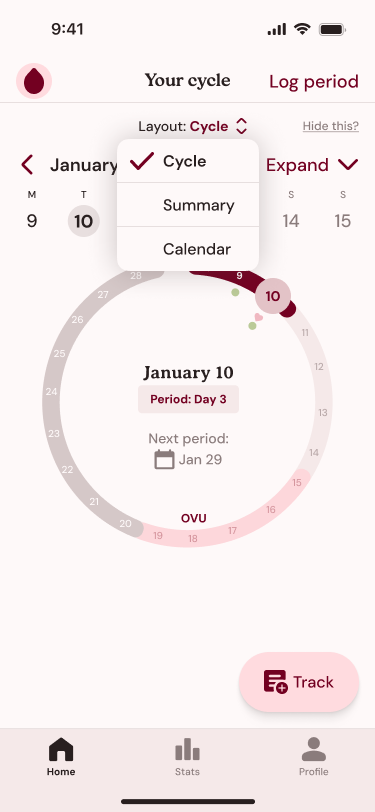
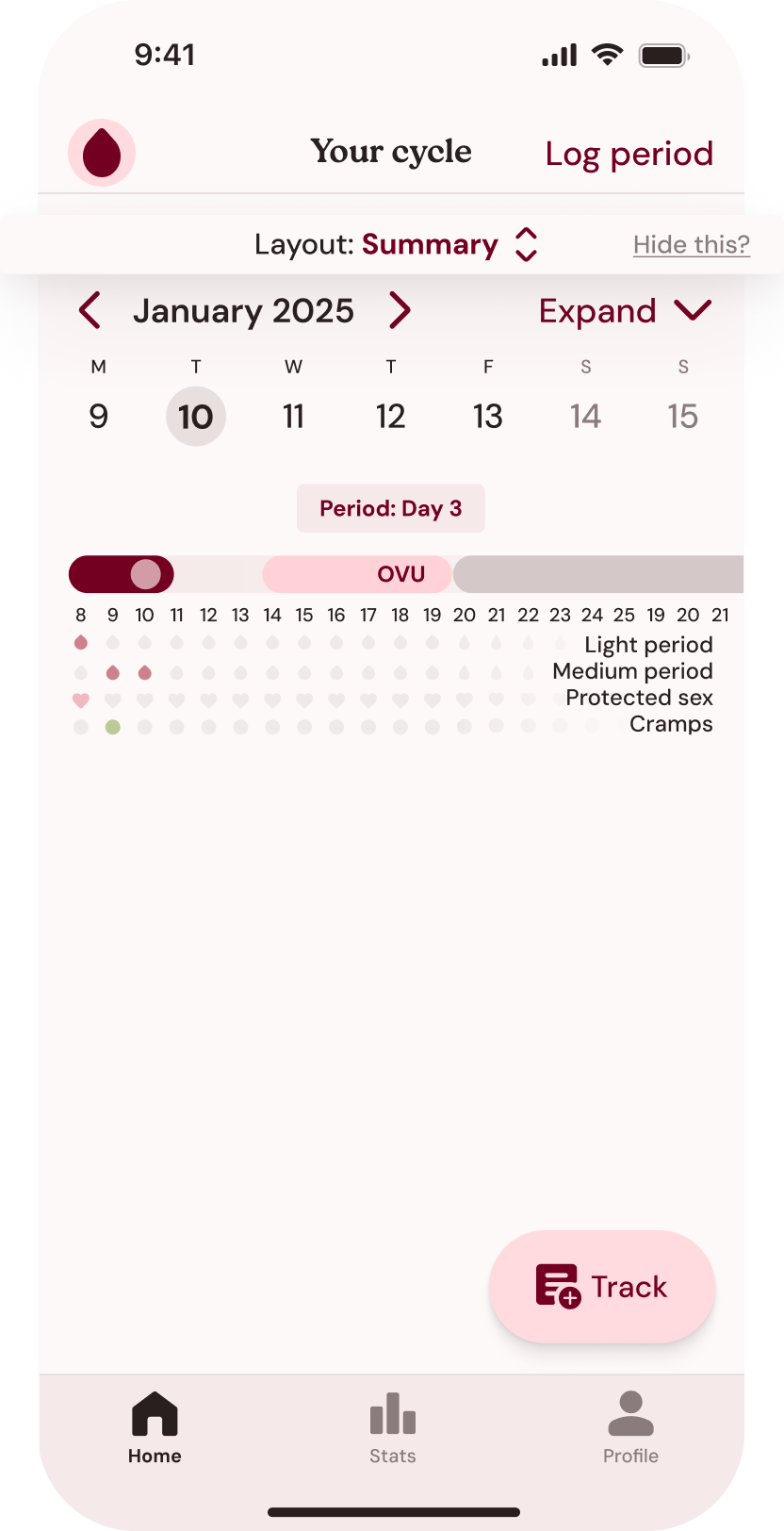
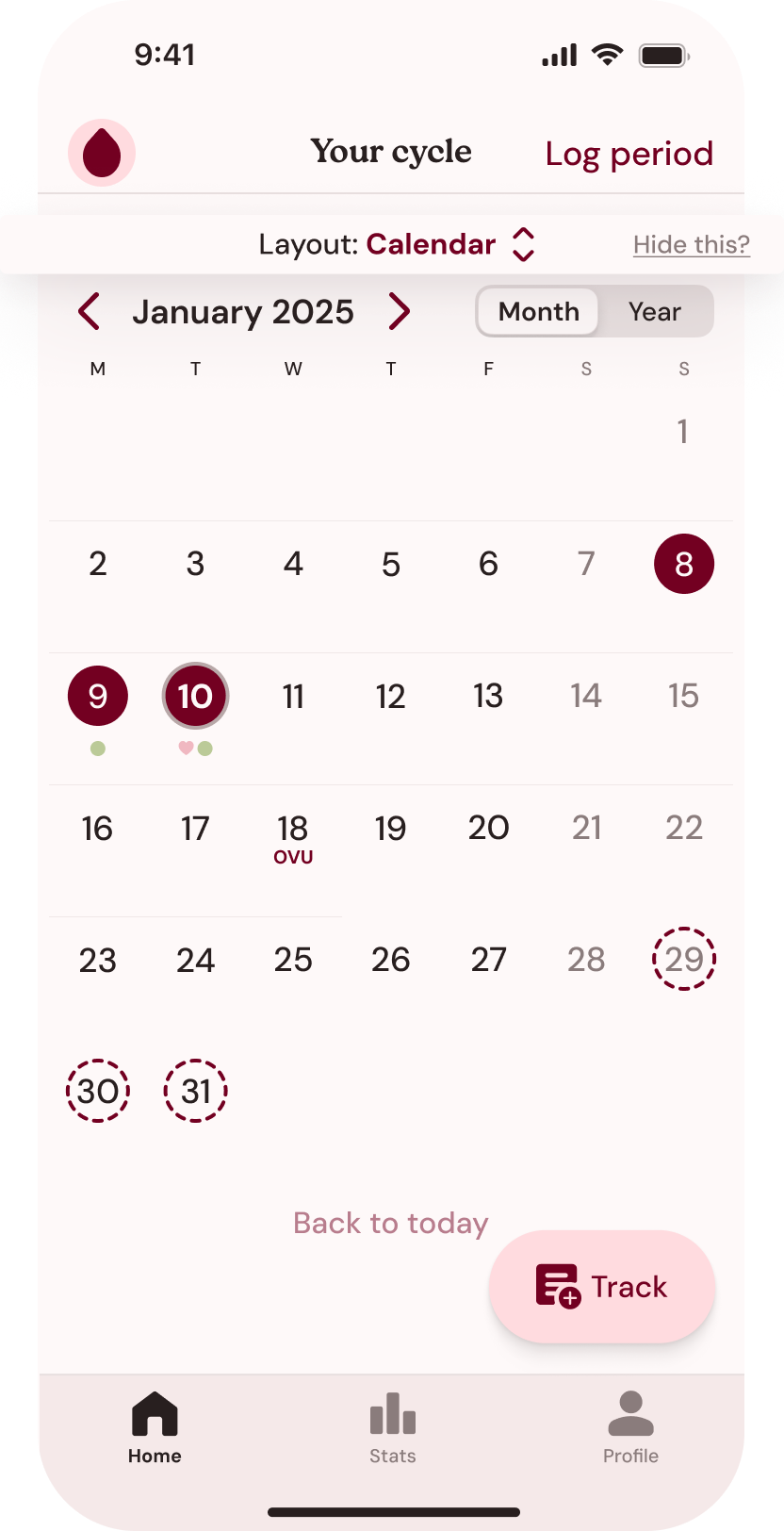
during user interviews, three main cohorts of dashboard preferences emerged: a circular overview, a horizontal timeline highlighting symptoms, and a chronological layout. these preferences were fluid, as users wanted to be able to switch between them depending on their current goals, health state, or cycle phase.
i explored two information architecture approaches to understand how different structural models influenced usability, personalization, and long-term engagement:
separate functional tabs
first exploration divided main cycle-related activities into three separate tabs: a home tab with a default circular overview, a calendar tab for chronological tracking, and a stats tab displaying a symptom-based timeline. while each tab was optimized for a specific function, this separation fragmented the user journey. it also assumed a predetermined starting view, limiting user autonomy and reducing personal relevance.
customizable home tab (final direction)
a) the second direction unified key views into a swipeable home dashboard, reducing four tabs to three. while this simplified navigation, low-visibility gestures made layouts easy to miss and encouraged linear browsing over direct, goal-driven access.
b) iterating on these insights, i replaced swipe-based navigation with a layout switcher. instead of positioning cycle views as sequential alternatives, this approach allowed them to coexist within a single framework. this way each layout lived on its own page, preserving depth and context, while giving users clear control over when and why they accessed each perspective.
validation and outcomes
the final round of usability testing showed that, in comparison to a single default layout option, providing three alternatives:
- increased perceived relevance: users noted switching layouts let them focus on what mattered most at the moment. for example, one participant said they mainly track symptoms and wanted the timeline view immediately, while another valued the circular overview to see their overall cycle pattern at a glance.
- improved clarity and task completion: 90% of participants were able to locate specific cycle events and symptom entries within 15 seconds, compared to 50% in the first round. users highlighted that the explicit layout switcher made app navigation more predictable.
- higher confidence: several participants shared that they felt more in control of managing their health goals when they could easily access the layout that matched their current focus.
- positive emotional response: users described feeling less constrained, and multiple participants mentioned that being able to personalize the dashboard made the app feel "smart" and "attentive" to their needs.